
Creating a relaxing home workspace is essential for boosting productivity and maintaining a healthy work-life balance. Whether you’re working remotely full-time or occasionally, having a comfortable and organized environment can make a big difference in how you feel and perform. This guide shares practical tips to help you design a workspace that promotes relaxation, reduces stress, and keeps you focused.
Why a Relaxing Workspace Matters
A workspace that feels calm and inviting can improve concentration, reduce anxiety, and increase motivation. When your surroundings are clutter-free and thoughtfully arranged, it’s easier to dive into tasks without distractions or discomfort.
Choose the Right Location
Consider Natural Light
Position your desk near a window if possible. Natural light not only brightens your space but also regulates your body’s internal clock, improving mood and energy levels.
Minimize Noise
Select a quiet corner of your home to reduce interruptions. If noise is unavoidable, try using noise-canceling headphones or white noise machines to create a peaceful atmosphere.
Optimize Furniture and Equipment
Invest in an Ergonomic Chair
Comfort is key. An ergonomic chair supports your posture, reducing strain and fatigue during long work sessions.
Use a Desk That Fits Your Needs
Choose a desk with enough surface area for your computer, documents, and any other essentials. Adjustable desks that allow you to alternate between sitting and standing are a great option.
Arrange for Easy Access
Keep frequently used items within reach to avoid unnecessary movement and maintain your workflow.
Personalize Your Space for Comfort and Inspiration
Add Calming Colors
Soft, neutral paint colors or décor such as light blues, greens, or earth tones can have a soothing effect.
Decorate with Plants
Indoor plants bring nature indoors and can boost productivity by improving air quality and uplifting your mood.
Incorporate Personal Touches
Photographs, artwork, or small mementos make the space feel welcoming and unique to you without creating clutter.
Keep Your Workspace Organized
Use Storage Solutions
Employ shelves, drawers, and organizers to keep supplies tidy and your desktop clear.
Develop a Decluttering Routine
Spend a few minutes at the end of each day tidying your space. A clean desk helps you start fresh each morning.
Manage Digital Clutter
Organize your computer files and emails regularly to reduce mental overload.
Lighting and Ambiance
Balance Artificial Lighting
If natural light is limited, invest in adjustable lamps with warm, soft light to reduce eye strain.
Control Screen Brightness
Adjust your monitor settings to a comfortable level to avoid fatigue.
Use Aromatherapy
Subtle scents like lavender or eucalyptus can promote a calm environment. Use essential oils or candles safely away from work equipment.
Maintain Good Habits for Productivity
Take Breaks Regularly
Set a timer to remind yourself to stand, stretch, or walk around every hour. Small breaks refresh your mind and body.
Incorporate Mindfulness
Practice deep breathing or short meditation sessions in your workspace to manage stress and improve focus.
Set Boundaries
Keep work confined to your designated area to help shift into “off” mode at day’s end.
Technology Tips
Keep Tech Clutter Minimal
Hide cables with organizers and use wireless devices when possible for a clean setup.
Optimize Your Setup
Ensure your computer, keyboard, and mouse are positioned to prevent strain.
Use Productivity Tools
Apps and digital calendars can keep you organized, but don’t let them become distractions.
Conclusion
Creating a relaxing home workspace is well worth the effort. By selecting the right space, investing in ergonomic furniture, personalizing your area, and establishing good habits, you’ll develop an environment that minimizes stress and maximizes productivity. Remember, the goal is to create a workspace where you feel comfortable, focused, and inspired to do your best work every day.
Related Posts
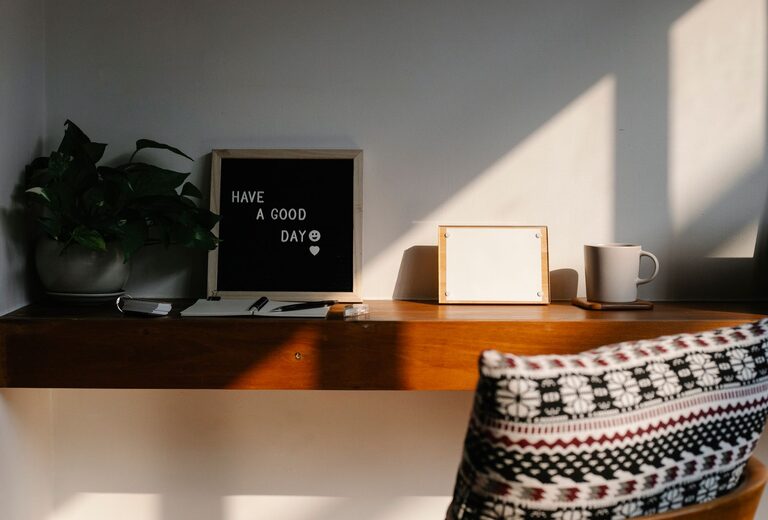
Tips for Creating a Cozy and Inviting Home Workspace
Creating a cozy and inviting home workspace is more important…

Tips for Creating a Productive Home Workspace That Boosts Creativity and Focus
Creating a productive home workspace is more important than ever…

Top Tips for Organizing a Productive Home Office Space
Creating a productive home office space is essential for anyone…